
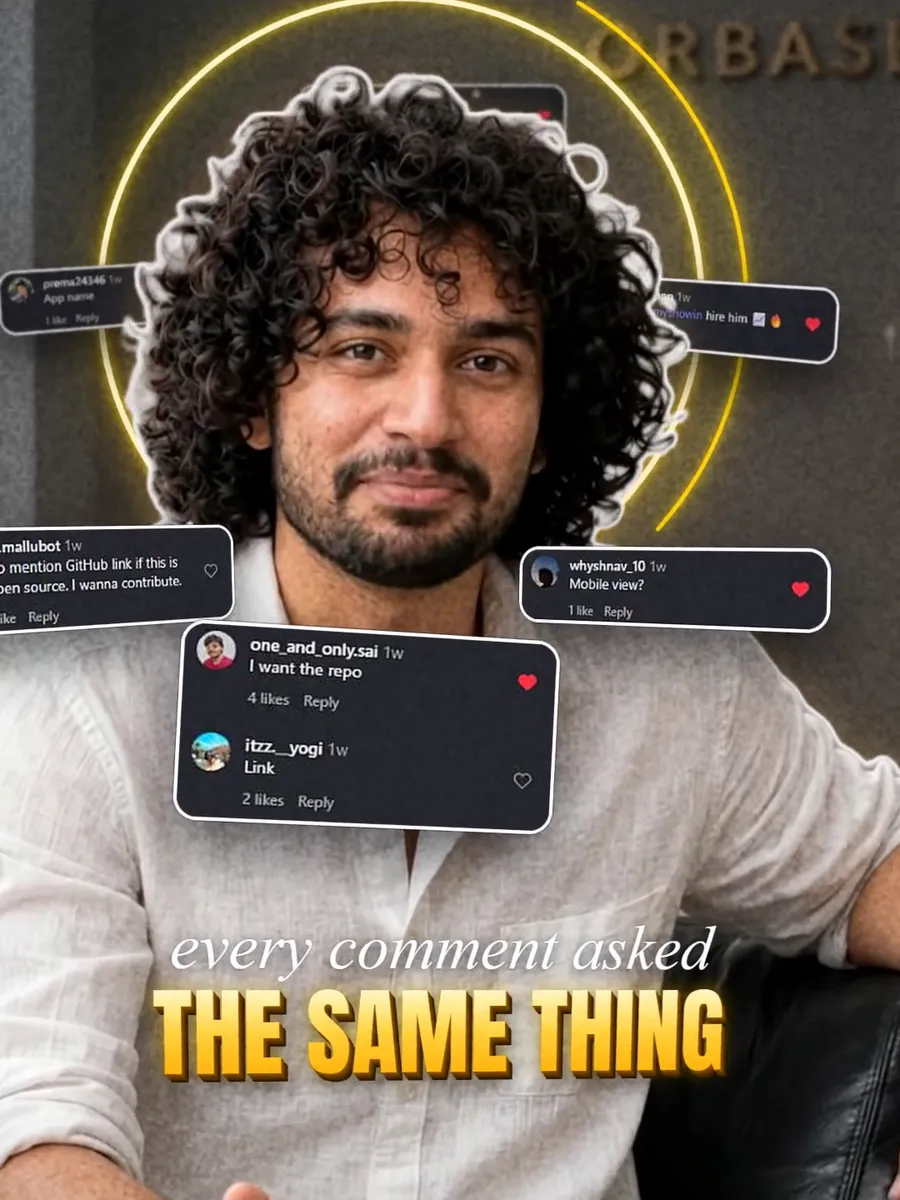
Our reel showing a 3D cinema seat booking app passed 200,000 views on an Instagram account that had only a few hundred followers. Reach on Reels has little to do with follower count; it depends on whether people keep watching. These are the editing habits we now use on every reel.
1. Earn the first two seconds
Most people decide in about two seconds whether to keep watching. Start with the most surprising thing you have, not a logo or a "hi guys". For us it was the 3D view of a cinema hall from a chosen seat. Put a short line of text on screen that says what the viewer is about to see.
2. Cut every silence
Go through the clip and remove pauses, "umm"s and breaths between sentences. A talking reel that feels fast keeps people watching to the end, and Instagram rewards that.
3. Captions on everything
Many people watch with the sound off, especially on a bus or at work. Add captions for every spoken line. Keep them short, two to five words at a time, and highlight the one key word in a strong colour.
4. Keep text out of the danger zones
Instagram covers the bottom of the screen with the caption and the right side with the like and share buttons. Keep your text in the middle area, and never put it over the speaker's face or mouth.
5. Show, then tell
If you are explaining a product, show it working on screen while you talk about it: a screen recording inside a phone frame, or the real product in your hand. Viewers trust what they can see.
6. Use real proof
In our follow-up reel we floated real Instagram comments from the first video around the speaker. Real comments, view counts and customer messages persuade far better than claims.
7. Sound effects, lightly
A soft whoosh on a cut or a click when text appears makes a reel feel finished. Keep effects quieter than the voice, and do not add one to every cut.
8. Stay under a minute
Most of our best reels are 30 to 45 seconds. If you need longer, make it a series and tell people to watch part 2.
9. Pick a cover that reads as a thumbnail
On your profile grid the cover is all people see. Choose a frame with a clear face and two or three large words.
Tools
You can do most of this in free apps like CapCut or VN on your phone. For our own reels we also add 3D text, matte cutouts and custom sound design.
If you would rather hand the editing over, see our video editing service. Send us your raw clips and we send back a ready-to-post reel.